
Published · By Henry Palma
Databricks Data Engineer Associate Exam Prep, Lesson 6: Lakeflow Connect vs JDBC vs REST Ingestion
Databricks Data Engineer Associate exam prep: choose between Lakeflow Connect, JDBC and REST ingestion, with CDC, parallel reads and Auto Loader.
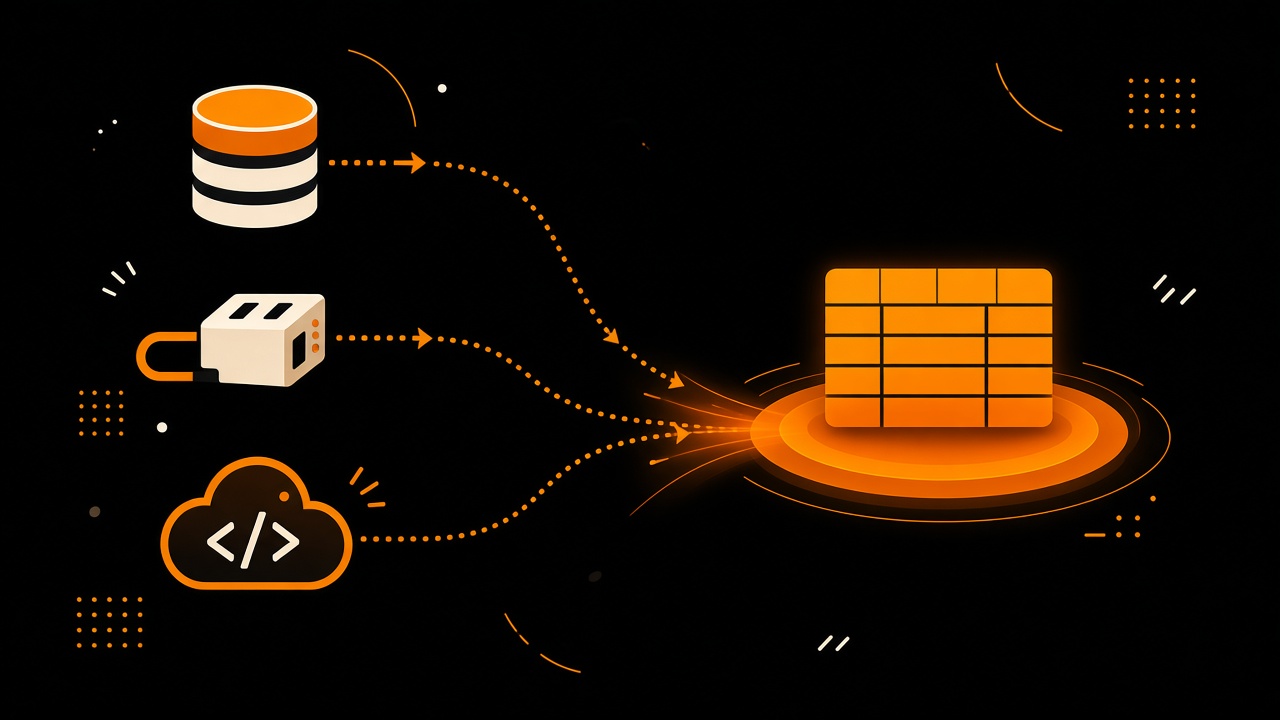
Exam-style question: a SQL Server table must land in Unity Catalog every 30 minutes, deletes included, with the least code to maintain. Which ingestion method fits best? The Lakeflow Connect managed database connector. It uses change data capture (CDC), so inserts, updates and deletes all arrive, and you configure it instead of coding it. This post follows Lesson 6 of the Databricks Data Engineer Associate exam prep series, in Section 2 of the August 2026 exam guide, Data Ingestion and Loading (21% of the exam).
The notebook and cheat sheet are in the A06 folder on GitHub. The PDF cheat sheet is in the same folder. This is independent study material, not official Databricks training.
The exam objectives
Section 2 of the exam guide asks you to do three things this lesson covers: configure Lakeflow Connect to ingest from enterprise sources into Unity Catalog governed tables, use Java Database Connectivity (JDBC), Open Database Connectivity (ODBC) or REST clients in notebooks, and prioritize between ingestion methods.
A Free Edition note. Free Edition restricts outbound internet access, so the REST pattern in the notebook runs against a simulated paginated API. The Lakeflow Connect database connector with CDC and JDBC reads from an external database need a paid workspace and a reachable database. Those parts are shown as code and were not run on Free Edition.
Lessons A01 to A05 all started from files. This lesson looks at sources that are not files and how to decide which tool fits.
Start with the most managed layer
Databricks recommends starting with the most managed layer that supports your source, and dropping down only when it does not. From top to bottom:
- Lakeflow Connect managed connectors for software as a service apps such as Salesforce and Workday, and for databases such as SQL Server, MySQL and PostgreSQL.
- Standard connectors, the Spark and SQL tools you code yourself: Auto Loader,
COPY INTOand Kafka streams. - Partner connectors, third-party tools reached through Partner Connect.
- Do-it-yourself code: JDBC, ODBC or REST in a notebook.
- Lakehouse Federation if you do not need a copy of the data at all, because it queries the source in place.
The five parts of a Lakeflow Connect database connector
- A connection, a Unity Catalog securable that stores the host and credentials.
- An ingestion gateway, which runs continuously on classic compute and reads the database change logs before they are truncated.
- A staging volume in Unity Catalog, where the gateway writes snapshots and changes. Staged data is purged after 30 days.
- An ingestion pipeline, which runs on serverless compute on a schedule and applies the changes.
- Destination streaming tables.
Software as a service connectors are simpler. They skip the gateway and the staging volume.
Configure it in the UI or as a bundle (paid workspace)
In the UI, open Data Ingestion in the sidebar and pick SQL Server under Databricks connectors. Select or create a connection (creating one needs the create connection privilege). Name the ingestion pipeline, the gateway and the staging location, select the source tables, choose the destination catalog and schema, validate the source, and add a schedule. The source database needs change tracking or CDC turned on first.
The same setup can live in code in a Declarative Automation Bundle. The gateway pipeline has a gateway definition with the connection name and the catalog and schema for staging, and it runs continuously. The ingestion pipeline points at the gateway and lists the objects to ingest, for example a whole source schema so new tables are picked up too. It does not run continuously: a scheduled job triggers it, for example every 30 minutes. The first run takes a full snapshot. After that, each run applies only the changes, including deletes.
That is why the opening answer is the managed connector. A JDBC notebook could read the table, but a query only returns rows that exist now. A deleted row just disappears, and you would have to write and maintain the merge logic yourself. REST does not fit a database, and Auto Loader reads files, not tables.
JDBC in a notebook (shown as code)
Spark has a built-in JDBC reader. You pass the JDBC URL, the table and the credentials, and Spark reads the schema and maps the types. Then you write the result to a Unity Catalog table. Keep the user and password in Databricks secrets, never in the URL or the notebook. This needs an external database the workspace can reach, so it was not run on Free Edition.
df = (spark.read.format("jdbc")
      .option("url", jdbc_url)
      .option("dbtable", "public.customers")
      .option("user", dbutils.secrets.get("crm", "user"))
      .option("password", dbutils.secrets.get("crm", "password"))
      .load())   # then saveAsTable
Two JDBC details the exam likes:
- By default the read is a single query on one thread. To read in parallel, set
partitionColumn,lowerBound,upperBoundandnumPartitions. Pick an indexed, evenly spread column, and do not set too many partitions or you can overload the source database. fetchSizecontrols how many rows come back per round trip. With thequeryoption, the filter runs inside the source database, so only the rows you need cross the network.
For governed access, a JDBC Unity Catalog connection is created once by an admin with the driver, URL and credentials. In the notebook you pass the connection name instead of a URL and password, and users need the use connection privilege. The query runs in the source database's own SQL dialect. For ODBC, a Python client such as pyodbc works from a notebook, but you install and manage the driver yourself. JDBC is built into Spark, so it is the usual choice.
REST in a notebook (runs on Free Edition with a simulated API)
When an HTTP API has no managed connector, you call it from a notebook, usually with the requests library. The objective names two landing spots:
- Land the raw responses in cloud storage, such as a Unity Catalog volume, then load them with Auto Loader or
COPY INTO. This keeps an audit trail and lets you replay without calling the API again. - Write the records straight into a Unity Catalog table. That is fewer moving parts and fine for small responses.
Either way, you schedule the notebook with Lakeflow Jobs.
The notebook builds the first option. It creates a new schema with two volumes, landing and checkpoints. A small function plays the API and returns pages of fictional orders: page 1 has three orders and points to page 2, and page 2 has two orders with next_page set to None. In a real workspace you would swap in a requests.get call with the page as a parameter, an authorization header from secrets and a timeout.
page, n = 1, 0
while page:
    body = get_page(page)
    rows = [json.dumps(r) for r in body["data"]]
    dbutils.fs.put(f"{raw}/run_{run_id}/p{page}.json", "\n".join(rows))
    n += len(rows)
    page = body["next_page"]
print(n)    # 5
Each run writes to its own timestamped folder, so nothing is overwritten. The loop should print 5, with two files landed. Then Auto Loader loads the landed files into a table, the same pattern as Lesson 4, with inferColumnTypes on so amounts come back as numbers and an available-now trigger so it processes the new files and stops. Expect five rows, one per order, with the columns amount, customer, order_id and status plus the empty rescued data column.
The direct option collects every page into a list, makes a DataFrame and appends it to a table. Expect five rows, but there is a trap: run it twice and you have ten rows, because the API returns the same orders again. With a direct write, plan for duplicates, for example with a merge on order_id.
Scenario words that point to each method
- Files keep arriving in cloud storage, at any volume: Auto Loader.
- A simple SQL reload of files that should be idempotent:
COPY INTO. - A supported software as a service app or database, or a database where you need changes including deletes: Lakeflow Connect managed connector.
- A custom query, or a database with no connector: JDBC.
- An HTTP API with no connector: REST code in a notebook, scheduled with Lakeflow Jobs.
- A partner tool your team already runs: partner connector.
- No copy wanted at all: Lakehouse Federation.
Behind each choice are four requirements: data volume, ingestion frequency, data types, and governance with Unity Catalog.
Five exam traps
- Databricks recommends the most managed layer that supports your source.
- A database CDC connector's gateway runs continuously on classic compute, and its ingestion pipeline runs on a schedule on serverless.
- A JDBC read is one single-threaded query unless you set
partitionColumn,lowerBound,upperBoundandnumPartitions. - Credentials go in secrets or a Unity Catalog connection, never in the JDBC URL.
- Auto Loader reads files, not databases or APIs. Those need a connector, or code that lands files.
Practice challenge
Pick the method for each scenario:
- Clickstream JSON files land in an S3 bucket every few minutes, millions per day.
- Salesforce opportunities must land in Unity Catalog daily with minimal maintenance.
- An internal HTTP API with no connector must be pulled every hour into a table.
Answers: (1) Auto Loader. The source is files in cloud storage, and Auto Loader loads them incrementally at that scale. (2) A Lakeflow Connect managed connector. Salesforce is supported, so you configure it instead of coding it. (3) A REST client in a notebook. Land the raw responses in a volume, load them with Auto Loader, and schedule the notebook hourly with Lakeflow Jobs.
Key takeaways
- Start with the most managed layer that supports your source.
- A managed database connector has a connection, a gateway, a staging volume, an ingestion pipeline and streaming tables. It brings changes, including deletes.
- JDBC needs secrets or a Unity Catalog connection, and a partition column with bounds for parallel reads.
- REST code lands raw pages in a volume, loads them with Auto Loader, and runs on a schedule with Lakeflow Jobs.
- Auto Loader reads files only.
Next lesson (Lesson 7): cleaning bronze data into silver tables.
Check your understanding
1. A SQL Server table must land in Unity Catalog every 30 minutes, deletes included, with the least code. Which method fits best?
- A) Auto Loader
- B) A Lakeflow Connect managed database connector
- C) A JDBC read in a notebook
- D) A REST client in a notebook
2. By default, how does a Spark JDBC read run?
- A) As a single query on one thread
- B) In parallel across all source tables
- C) With one partition per column
- D) Only through a Unity Catalog connection
3. Where should JDBC credentials be kept?
- A) In the JDBC URL
- B) In a notebook variable
- C) In Databricks secrets or a Unity Catalog connection
- D) In the staging volume
4. Which part of a database CDC connector runs continuously on classic compute?
- A) The ingestion pipeline
- B) The destination streaming table
- C) The Unity Catalog connection
- D) The ingestion gateway
5. You write API records straight into a table with a direct append and run the notebook twice. What happens?
- A) Spark deduplicates the rows automatically
- B) The second run fails
- C) You get duplicate rows, so plan a merge on a key such as
order_id - D) Only new pages are read
Answer key
- B. The managed connector uses CDC, so deletes arrive, and you configure it instead of coding it.
- A. A JDBC read is one query on one thread unless you set
partitionColumn, the bounds andnumPartitions. - C. Credentials belong in secrets or a Unity Catalog connection, never in the URL.
- D. The ingestion gateway runs continuously on classic compute; the ingestion pipeline runs on a schedule on serverless.
- C. The API returns the same orders again, so a direct append doubles the rows; use a merge on the order id.