
Published · By Henry Palma
Databricks Data Engineer Associate Exam Prep, Lesson 5: PySpark explode and Nested JSON
Databricks Data Engineer Associate exam prep: load nested JSON, reach into structs, flatten arrays with explode, and keep empty arrays with explode_outer.
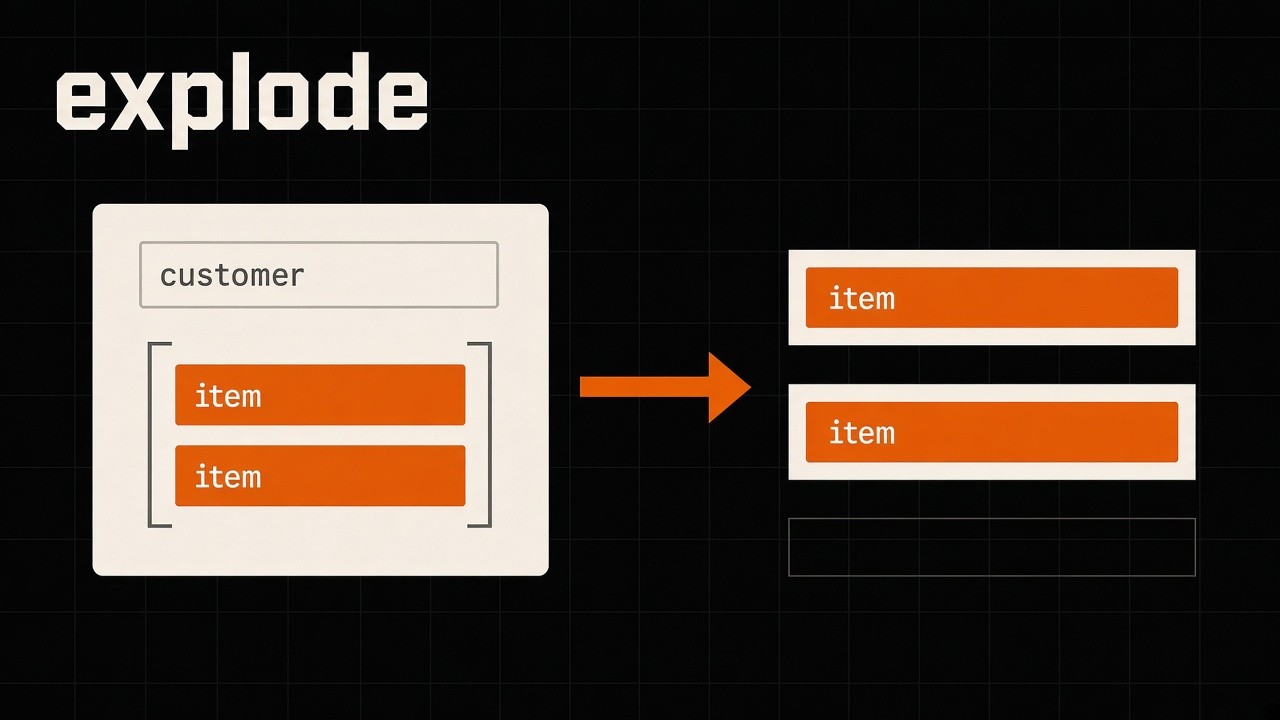
Exam-style question: a table has four orders. One has two items, one has one item, one has an empty array, and one has no items at all. You explode the items column. How many rows come back? Three. explode returns one row per array element and drops rows whose array is null or empty. This post follows Lesson 5 of the Databricks Data Engineer Associate exam prep series. It covers two sections of the August 2026 exam guide: Section 2, Data Ingestion and Loading (21% of the exam), and Section 3, Data Transformation and Modeling (22% of the exam).

The notebook and cheat sheet are in the A05 folder on GitHub. The PDF cheat sheet is in the same folder. This is independent study material, not official Databricks training.
The exam objectives
Section 2 asks you to ingest semi-structured data, such as JSON and nested data, into Unity Catalog governed Delta tables. Section 3 asks you to manipulate columns and rows, including exploding arrays. Everything in this lesson runs in Databricks Free Edition, with a Unity Catalog volume as the source and a serverless notebook.
Lesson 2 covered ingestion patterns, Lesson 3 covered COPY INTO, and Lesson 4 covered Auto Loader schema evolution. Whichever way the JSON comes in, you get the same nested shape. This lesson lands the files in a volume and focuses on that shape.
Write nested JSON, then read it two ways
In a Python notebook on Serverless, cell 1 creates a new schema (btjson plus 12 random hex characters) and a volume called landing. Cell 2 writes orders.json with one order per line. Each order has an order_id and a customer struct with a name and an address. The address is another struct, with a city and a country. Then there is an items array, where every item is a struct with a sku, a quantity, and a price, and a tags array of plain strings.
The four fictional orders matter later:
- 1001 has two items
- 1002 has one item
- 1003 has an empty
itemsarray - 1004 has no
itemsfield at all
Cell 3 reads the folder with spark.read.json and prints the schema. By default, the JSON reader expects one complete record per line (JSON Lines). If your file is a pretty-printed document that spans many lines, set the multiLine option to true. Otherwise the reader cannot parse the records.
raw_df = spark.read.json(src)
spark.read.option("multiLine", "true").json(path)
Spark finds the nesting on its own. customer is a struct with another struct inside. items is an array of structs, and tags is an array of strings. Whole numbers come back as long, decimals as double, and the field names are sorted alphabetically.
This is different from Auto Loader in Lesson 4. Auto Loader infers JSON columns as strings unless you set cloudFiles.inferColumnTypes. The plain JSON reader infers real types.
Read with an explicit schema
Cell 4 reads the same files with an explicit schema, written as a data definition language (DDL) string. STRUCT and ARRAY types nest inside angle brackets. With an explicit schema, Spark skips the inference pass, and you get exactly the types you want, such as an integer orderid and a decimal price. The lesson saves this as a bronze Delta table called ordersbronze, with the nested columns stored as they are.
schema_ddl = """
order_id INT,
customer STRUCT<name: STRING, address: STRUCT<city: STRING, country: STRING>>,
items    ARRAY<STRUCT<sku: STRING, qty: INT, price: DECIMAL(10,2)>>,
tags     ARRAY<STRING>
"""
orders = spark.read.schema(schema_ddl).json(src)
Structs: dot notation does not change the row count
Cell 5 reaches into the structs. customer.name gives the name, and customer.address.city goes two levels down. The new column takes the last field name, so alias it when names could clash. customer.* expands every field of the struct into its own column.
orders.select("order_id", "customer.name", col("customer.address.city").alias("city"))
orders.select("order_id", "customer.*")
You should still have four rows, one per order, with the name and the city as plain columns. Dot notation works on structs. It does not turn an array into rows. For that, you need explode.
explode: one row per element, and some orders disappear
explode takes an array column and returns one row for every element. The other columns you select, like order_id, are repeated on each row.
That is the answer to the opening question. Order 1001 gives two rows, 1002 gives one row. The empty array in 1003 gives no rows, and the null in 1004 gives no rows. So explode returns three rows, and two of the four orders disappear. Each item is still a struct.
# 1001 [A1, B2]  1002 [C3]  1003 []  1004 null
# explode -> 3 rows   explode_outer -> 5 rows   posexplode on 1001 -> pos 0, 1
orders.select("order_id", explode("items").alias("item"))
explode_outer and posexplode
The exam likes two variations:
explode_outerworks likeexplode, but when the array is null or empty, it still returns one row, with null for the item. That keeps every order, so the same four orders become five rows.posexplodeadds the position of each element. It returns two columns,posandcol, and the position starts at zero. Like plainexplode, it skips empty and null arrays. If you need the position and every order, useposexplode_outer.
On a map column, explode returns two columns, key and value.
Flatten to a silver table
Cell 8 puts it together. First it explodes items into one row per item. Then it uses dot notation on the exploded struct to pull out the sku, the quantity, and the price, and it computes a line total. That is written as a flat silver table called orderitems. Expect three rows, one per item: 1001 gets line totals of 10 and 12.50, and 1002 gets 12. If the business needs orders with no items too, use explodeouter instead.
(orders.select("order_id", explode("items").alias("item"))
   .select("order_id", "item.sku", "item.qty",
           (col("item.qty") * col("item.price")).alias("line_total")))
from_json: when the JSON is a string column
Sometimes the JSON arrives as a string column, not as a file the reader parses for you. A message payload, or an API response saved as text, is a common example. Cell 9 reads the file as text, so each line is one string in a column called value. fromjson takes the string column and a schema, and returns a struct. Reuse the DDL schema, and then dot notation works again, like o.customer.address.city. If you do not know the schema, schemaof_json can derive one from a sample string.
spark.read.text(src).select(from_json("value", schema_ddl).alias("o"))Databricks SQL: colon syntax and LATERAL explode
Databricks SQL can query JSON strings directly, with the colon syntax. value:order_id extracts a field, and dot notation goes deeper, like value:customer.address.city. Square brackets index an array from zero, and [] pulls a field from every element. The results are strings, so cast with :: when you need a number. One detail: [] works only on JSON strings, not on a native array column.
SELECT value:customer.address.city, value:items[0].sku, value:items[*].sku,
       value:order_id::int FROM raw_orders
Databricks also has a VARIANT type for semi-structured data, which is covered in the Professional series.
To explode in SQL, Databricks now recommends calling explode as a table reference, with LATERAL. The older forms, explode in the select list, or LATERAL VIEW, still work, but they are deprecated. Expect the same three rows:
SELECT o.order_id, i.item.sku
FROM orders_bronze AS o,
     LATERAL explode(o.items) AS i(item)
Struct versus array
A struct is a set of named fields. You read it with dot notation, or expand it with *, and the row count never changes. An array is a list of elements. You turn it into rows with explode, keep null and empty arrays with explode_outer, and get the position with posexplode. The row count changes.
Five exam traps
explodedrops rows where the array is null or empty.explode_outerkeeps those rows, with a null element.posexplodereturnsposandcol, and the position starts at zero.- A pretty-printed JSON file needs
multiLineset to true. - The plain JSON reader infers real types, but Auto Loader infers JSON columns as strings unless you turn on
inferColumnTypes.
Practice challenge
The challenge uses the tags array. Order 1001 has web and promo. 1002 has store. 1003 has an empty array, and 1004 has web.
- How many rows does
explodeontagsreturn? - How many with
explode_outer? - With
posexplode, what position doespromoget?
Answers: (1) explode returns four rows. Two for 1001, one for 1002, none for the empty array in 1003, and one for 1004. (2) explode_outer returns five rows, because 1003 is kept with a null tag. (3) promo gets position 1, because positions start at zero, and web is 0. The solution cell is commented out in the notebook.
Key takeaways
- The JSON reader expects one record per line, unless you set
multiLine. - An explicit schema skips inference and gives you the types you choose.
- Use dot notation for structs, and
explodefor arrays. explode_outerkeeps null and empty arrays.posexplodegives you the position, starting at zero.
Check your understanding
1. Four orders have items [A1, B2], [C3], [], and null. How many rows does explode on items return?
- A) 4
- B) 3
- C) 5
- D) 2
2. What does explode_outer do that explode does not?
- A) It numbers each element, starting at zero
- B) It keeps rows whose array is null or empty, with a null element
- C) It expands a struct into columns
- D) It parses a JSON string into a struct
3. posexplode returns which columns, and where does the position start?
- A)
indexandvalue, starting at 1 - B)
keyandvalue, starting at 0 - C)
posandcol, starting at 0 - D)
posandcol, starting at 1
4. A pretty-printed JSON file spans many lines. What does the reader need?
- A)
cloudFiles.inferColumnTypes - B)
multiLineset to true - C)
from_json - D)
explode_outer
5. How is schema inference different for the plain JSON reader and for Auto Loader?
- A) Both infer JSON columns as strings
- B) Both infer real types
- C) The JSON reader infers real types; Auto Loader infers JSON columns as strings unless
cloudFiles.inferColumnTypesis true - D) Auto Loader always infers decimals, and the JSON reader always infers strings
Answer key
- B.
explodekeeps two rows for 1001 and one for 1002, and drops the empty and null arrays, for 3 rows. - B.
explode_outerstill returns one row when the array is null or empty, with a null element. - C.
posexplodereturnsposandcol, and the position starts at zero. It still skips null and empty arrays. - B. The default JSON reader expects one record per line; pretty-printed documents need
multiLineset to true. - C. This is the Lesson 4 contrast: the plain JSON reader infers real types, and Auto Loader infers strings unless you turn on
inferColumnTypes.